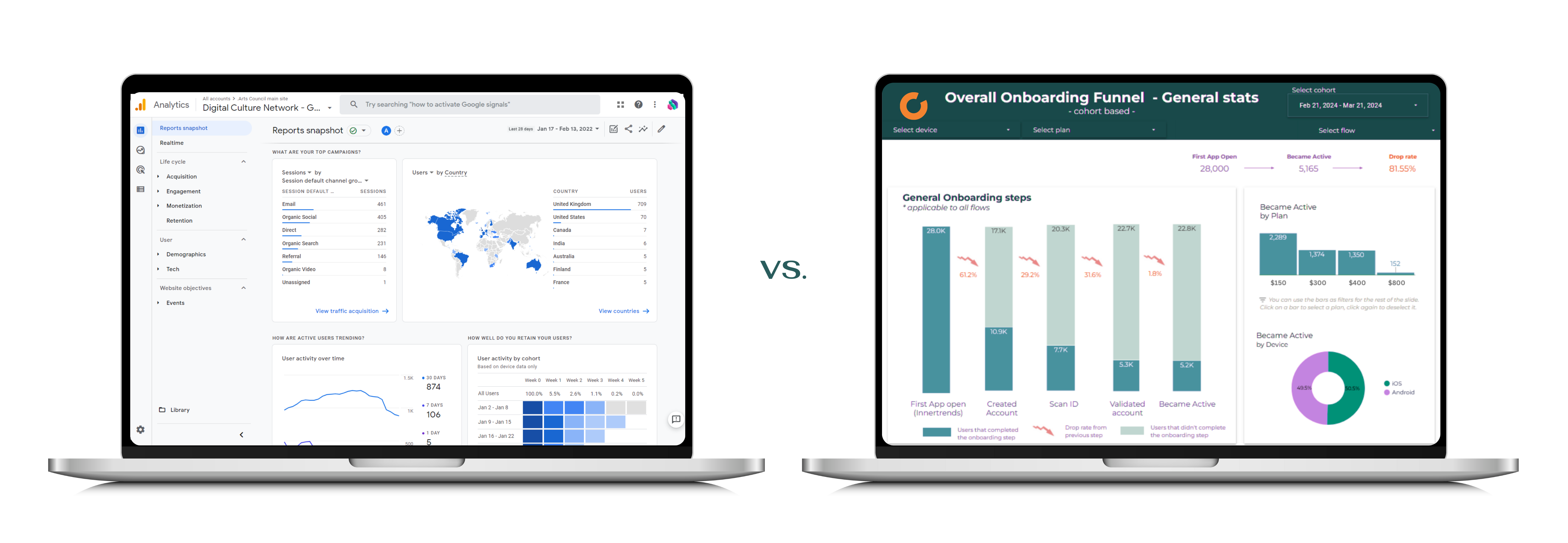
Self-service analytics tools have made it easier than ever for non-technical teams to explore data, build charts, and generate insights. Tools like Excel, Google Sheets, Looker Studio, and AI-powered assistants can handle a surprising range of questions. But they have clear limits - and knowing where those limits are is the difference between a quick answer and a costly mistake.
This article provides a decision framework for choosing between self-service analytics and professional analytics support, with concrete examples for each scenario.
What Self-Service Analytics Does Well
Self-service tools excel in situations where the data is clean, the question is well-defined, and the stakes are moderate. Here are the use cases where self-service is the right choice.
Ad-Hoc Data Exploration
You received a CSV export from your CRM and want to understand the distribution of deals by stage, region, or sales rep. Pivot tables, basic filtering, and simple charts are all you need.
Best tools: Excel, Google Sheets, Looker Studio, or any BI tool your team already uses.
Standard Reporting
Monthly revenue summaries, website traffic trends, campaign performance reports - these are well-structured, recurring tasks that self-service dashboards handle efficiently.
Best tools: Google Analytics, HubSpot reports, Shopify analytics, or pre-built dashboards in PowerBI or Tableau.
Quick Statistical Tests
A marketing team wants to compare conversion rates between two landing pages. A simple A/B test with a significance calculator or a basic statistical function in a spreadsheet can answer this.
Best tools: Online A/B test calculators, Excel's built-in statistical functions, Google Sheets with add-ons.
Internal Team Metrics
Tracking sprint velocity, support ticket resolution time, or content output per week. These are small, contained data sets where the person asking the question also understands the data.
Best tools: Jira dashboards, Notion databases, Google Sheets, or simple BI connectors.
When Self-Service Reaches Its Limits
Self-service tools break down in predictable ways. If you recognize any of the following situations, you are likely past the point where self-service can reliably deliver.
Multiple Data Sources Need to Be Combined
Your customer data lives in a CRM, transaction data in a payment processor, product usage data in a separate analytics tool, and marketing data in yet another platform. Each system uses different identifiers, date formats, and naming conventions.
Self-service tools can merge two clean tables. But combining four or five sources with inconsistent schemas, deduplication needs, and different update frequencies requires data engineering.
Example: An ecommerce company wants to understand customer lifetime value across channels. This requires combining Shopify orders, Google Analytics sessions, email platform engagement, and return/refund data. No single self-service tool handles this reliably.
The Data Exceeds Spreadsheet Scale
Excel and Google Sheets work well with thousands of rows. They start to struggle at hundreds of thousands, and they are unusable at millions. If your dataset requires aggregating months or years of transactional data, event logs, or clickstream data, you need a proper data warehouse.
Threshold to watch: If your spreadsheet is slow to open, formulas take seconds to recalculate, or you are summarizing data before analysis just to keep file sizes manageable, you have outgrown the tool.
The Question Requires Statistical Rigor
There is a meaningful difference between "we looked at a chart and it seems like X" and "we conducted an analysis controlling for Y and Z, and X is statistically significant at the 95% confidence level."
Self-service tools can tell you that sales went up. Professional analytics can tell you whether the increase is attributable to your new pricing strategy, seasonal effects, or a change in your product mix - and quantify the contribution of each.
Decisions Have High Financial Impact
When the answer directly influences a pricing change, a market entry decision, a major technology investment, or a product pivot, the cost of being wrong is far higher than the cost of doing the analysis properly.
Rule of thumb: If the decision at stake is worth more than 10x the cost of professional analysis, the analysis is worth doing right.
You Need Prediction, Not Just Description
Self-service tools are excellent at describing what happened. They are limited when it comes to predicting what will happen or prescribing what to do about it. Demand forecasting, churn prediction, customer segmentation using RFM, recommendation engines, and anomaly detection all fall into the professional analytics domain.
The Decision Framework
Use this flowchart to determine the right approach for your specific situation:
1. How many data sources are involved?
- One source, already clean → Self-service is likely sufficient
- Two or more sources that need joining → Evaluate complexity (proceed to step 2)
2. How large is the dataset?
- Under 100K rows → Self-service can handle it
- Over 100K rows → You need a database or warehouse layer
3. What type of question are you answering?
- "What happened?" (descriptive) → Self-service, if data is accessible
- "Why did it happen?" (diagnostic) → Depends on complexity; may need professional support
- "What will happen?" (predictive) → Professional analytics
- "What should we do?" (prescriptive) → Professional analytics
4. What is the impact of getting it wrong?
- Low stakes (internal reporting, curiosity) → Self-service is fine
- Medium stakes (resource allocation, campaign targeting) → Professional review recommended
- High stakes (pricing, M&A due diligence, investor reporting) → Professional analytics required
5. Is this a one-time question or an ongoing need?
- One-time → Either approach works; choose based on complexity
- Ongoing → Invest in automation, whether that is a self-service dashboard or a professional BI solution
Common Mistakes When Choosing
Over-Investing in Self-Service Tools
Some organizations purchase expensive BI platforms and expect them to solve all analytics problems. A tool is only as good as the data feeding it and the people interpreting the output. If you have poor data quality or unanswered structural questions, a fancier dashboard will just visualize the confusion faster.
Under-Investing in Data Foundations
Others skip the self-service layer entirely and hire data scientists before they have reliable data. This creates expensive talent sitting idle while waiting for data quality issues to be resolved.
Treating All Questions as Equal
Not every question needs the same rigor. A quick check on last week's conversion rate should take minutes, not weeks. Conversely, a segmentation model that drives your entire marketing budget deserves more than a pivot table.
Ignoring the Maintenance Cost
Self-service dashboards that nobody maintains become misleading artifacts. Professional analytics solutions that are not documented become black boxes. Both approaches require ongoing attention.
The Practical Middle Ground
Most organizations benefit from a layered approach:
Self-service layer: Standard dashboards, automated reports, and accessible data that business teams can explore independently. This covers 60-70% of day-to-day analytics needs.
Professional analytics layer: Dedicated support for complex questions, data infrastructure, predictive models, and high-stakes decisions. This covers the 30-40% that creates disproportionate business value.
Strategic consulting layer: Periodic reviews to ensure your analytics investments align with business goals, identify capability gaps, and plan the roadmap forward. Our analytics strategic consulting service fills this role.
The two layers are not competing approaches. They are complementary. The self-service layer empowers teams to move fast on routine questions, while the professional layer ensures critical decisions are made on solid analytical ground.
How to Get Started
If you are currently relying entirely on self-service and suspect you have outgrown it, start by asking:
- Which business questions can we not answer reliably today?
- Where do we spend the most time wrangling data instead of analyzing it?
- What decisions have the highest potential impact but the weakest analytical support?
The answers will point you toward the highest-value areas for professional analytics investment - and help you keep self-service tools focused on what they do best.
Need help figuring out where the line is for your organization? Get in touch and we will walk through it together.